Combining Metrics Logs and Traces Effectively
In modern DevOps and SRE practices, combining metrics logs and traces effectively is essential for achieving true observability. This approach transforms isolated data streams into a unified view that accelerates incident response, reduces mean time to recovery (MTTR),…
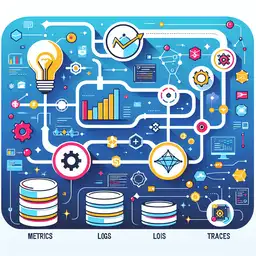
Combining Metrics Logs and Traces Effectively
In modern DevOps and SRE practices, combining metrics logs and traces effectively is essential for achieving true observability. This approach transforms isolated data streams into a unified view that accelerates incident response, reduces mean time to recovery (MTTR), and empowers teams to debug complex distributed systems with confidence.
Understanding the Three Pillars of Observability
The foundation of effective observability rests on three pillars: metrics, logs, and traces. Combining metrics logs and traces effectively means leveraging each pillar's strengths while correlating them seamlessly.
Metrics: Quantitative System Health Indicators
Metrics are numerical measurements of system performance over time, such as latency, error rates, CPU usage, and request volumes. They are lightweight, efficient for storage, and perfect for dashboards and alerting. Metrics provide the broad overview to detect anomalies early.
Common examples include:
- HTTP request latency percentiles (p50, p95, p99)
- Error rates and exception counts
- Resource utilization (CPU, memory, disk I/O)
- Queue depths and throughput rates
Logs: Detailed Event Narratives
Logs capture granular, timestamped events with rich context, answering "what happened" for individual occurrences. They include error messages, stack traces, and business logic details, making them indispensable for root cause analysis when combining metrics logs and traces effectively.
Effective logging practices feature structured JSON output with correlation IDs:
- Error stack traces and variable states
- Application state changes
- User session and transaction details
- Audit trails for compliance
Traces: Distributed Request Flows
Traces map end-to-end request journeys across microservices, highlighting latency bottlenecks and failure points. In distributed systems, traces correlate spans from multiple services, revealing how issues propagate.
Why Combining Metrics Logs and Traces Effectively Delivers Business Value
Combining metrics logs and traces effectively creates a narrative from raw telemetry. Metrics spot trouble, traces pinpoint causes, and logs explain why—slashing MTTR by up to 50% in production environments.
Key benefits include:
- Shorter MTTR: Correlated signals enable root cause identification without tool-switching.
- Faster Investigations: Move from alert to resolution in minutes, not hours.
- Reduced Escalations: Self-service debugging minimizes team handoffs.
- Cost Savings: Unified storage cuts infrastructure overhead versus siloed tools.
The Proven Three-Step Workflow
Follow this actionable workflow for combining metrics logs and traces effectively during incidents:
- Metrics for Detection: Alerts trigger on thresholds like error rate >5%.
- Traces for Isolation: Identify slow services or failure spans.
- Logs for Context: Query by trace ID for stack traces and details.
Step 1: Metrics Detection with Prometheus
Start with Prometheus queries in Grafana dashboards. Here's a practical alerting rule for high error rates:
groups:
- name: high_error_rate
  rules:
  - alert: HighErrorRate
    expr: rate(http_requests_total{status="500"}[5m]) / rate(http_requests_total[5m]) > 0.05
    for: 2m
    labels:
      severity: critical
    annotations:
      summary: "High error rate detected on {{ $labels.service }}"
      description: "Error rate is {{ $value | humanizePercentage }} over 5m window."
This fires when errors exceed 5%, prompting deeper investigation.
Step 2: Traces Isolation with Tempo
Grafana Tempo visualizes traces. Filter by service and time range matching your metric alert to spot problematic spans, like slow database queries in a payment service.
Step 3: Logs Context with Loki
Query Loki using trace IDs from Tempo: {service="payment"} |= `traceID:"abc123..."`. This surfaces correlated error logs instantly.
Practical Implementation: Instrumenting with OpenTelemetry
To enable combining metrics logs and traces effectively, instrument applications with OpenTelemetry (OTel). It standardizes telemetry emission across languages.
Go Example: Correlated Logging
This Go snippet adds trace context to logs using OTel:
import (
    "context"
    "go.opentelemetry.io/otel"
    "go.opentelemetry.io/otel/trace"
    "go.uber.org/zap"
)

func processRequest(ctx context.Context, logger *zap.Logger) {
    span := trace.SpanFromContext(ctx)
    traceID := span.SpanContext().TraceID().String()
    spanID := span.SpanContext().SpanID().String()

    logger = logger.With(
        zap.String("service", "payment"),
        zap.String("pod", os.Getenv("POD_NAME")),
        zap.String("trace_id", traceID),
        zap.String("span_id", spanID),
    )

    logger.Info("Processing payment request")
    // Business logic here
    if err != nil {
        logger.Error("Payment failed", zap.Error(err))
    }
}
Every log now includes trace/span IDs for seamless Loki-Tempo correlation.
Python Verification Script
Test correlation in production with this Python script querying Grafana APIs:
import requests

def verify_correlation(service="payment", trace_id="abc123"):
    # Prometheus metrics check
    metrics_url = f"/api/v1/query?query=rate(http_requests_total{{service='{service}'}}[5m])"

    # Tempo traces check
    traces_url = f"/api/traces/{trace_id}"

    # Loki logs check
    logs_url = f"/loki/api/v1/query_range?query=%7Bservice%3D%22{service}%22%7C%3D%60traceID%3A%22{trace_id}%22%60"

    # Validate all return data
    print(f"Metrics: {requests.get(prometheus_base + metrics_url).json()}")
    print(f"Traces: {requests.get(tempo_base + traces_url).json()}")
    print(f"Logs: {requests.get(loki_base + logs_url).json()}")

verify_correlation()
Grafana Dashboards for Unified Views
Create Grafana dashboards linking all signals. Use trace ID variables to jump from metrics panels to trace views and log streams. Add exemplars in Prometheus to link metrics directly to traces.
Pro tip: Define SLOs with burn-rate alerts across metrics, visualized alongside traces/logs for context-rich alerting.
Best Practices for Combining Metrics Logs and Traces Effectively
- Use Correlation IDs: Embed trace/span IDs in every log and metric label.
- Unified Backend: Tools like Grafana stack (Prometheus/Loki/Tempo) or OpenObserve provide single-query access.
- Structured Logging: JSON with consistent schemas; avoid plain text.
- Sampling Strategies: Head-based sampling for traces (1:1000) balances cost and coverage.
- Alert on Metrics Only: Use traces/logs for investigation, not alerting.
Real-World Scenario: Debugging a Memory Leak
Metrics show memory usage spiking. Traces reveal specific API endpoints correlate with growth. Logs via trace ID expose unclosed database connections in those requests. Resolution: Fix the leak, confirm via metrics normalization.
This workflow exemplifies combining metrics logs and traces effectively in action.
Overcoming Common Challenges
High Volume: Implement log sampling and metric aggregation.
Cost Control: Choose columnar stores like OpenObserve for 10x compression.
Team Adoption: Start with one service, expand via dashboards.
By combining metrics logs and traces effectively, DevOps engineers and SREs build resilient systems. Implement these patterns today to transform observability from reactive monitoring to proactive reliability engineering. Start with OTel instrumentation and Grafana unification for immediate wins.
(Word count: 1028)