Combining Metrics Logs and Traces Effectively: A Complete Guide for DevOps Engineers
In modern DevOps environments, observability has evolved beyond simple uptime monitoring. The shift from traditional monitoring to true observability requires a fundamental change in how teams collect, correlate, and analyze system data. Combining metrics logs and traces effectively…
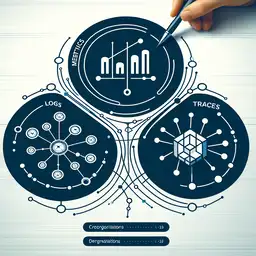
```html
Combining Metrics Logs and Traces Effectively: A Complete Guide for DevOps Engineers
In modern DevOps environments, observability has evolved beyond simple uptime monitoring. The shift from traditional monitoring to true observability requires a fundamental change in how teams collect, correlate, and analyze system data. Combining metrics logs and traces effectively transforms raw telemetry into actionable insights that accelerate incident response and reduce mean time to recovery (MTTR).
This guide explores how to implement unified observability by integrating these three critical pillars, with practical examples and implementation strategies for production environments.
Understanding the Three Pillars of Observability
Before combining metrics logs and traces effectively, you need to understand each component's unique role. Think of traditional monitoring like a fire alarm—it tells you there's smoke but not where the fire started. Observability, by contrast, helps you find the spark before it becomes a blaze.[1]
Metrics: Performance Trends Over Time
Metrics are quantitative measurements that track system performance over time.[1] They include latency, error rates, request counts, CPU usage, and memory consumption. Metrics are lightweight, efficient to store, and ideal for detecting anomalies through dashboards and automated alerts.[5]
Common metric examples include:
- HTTP request duration and latency percentiles
- Error rates and exception counts
- Resource utilization (CPU, memory, disk)
- Queue depths and processing times
Logs: Real-Time Event Details
Logs capture detailed, moment-specific information about individual events in your system.[1] They provide context for diagnosis and audit trails, recording what happened at a specific point in time. Logs are essential for understanding the "why" behind system behavior.[5]
Effective logs include:
- Error messages and stack traces
- Application state transitions
- Business transaction details
- User interaction sequences
Traces: Request Flow Visualization
Traces record a request's flow through a distributed system, showing how services interact and where latency occurs.[1] Distributed tracing correlates logs and metrics across multiple services, revealing bottlenecks and failures in complex microservice architectures.[4]
Why Combining Metrics Logs and Traces Effectively Matters
Combining metrics logs and traces effectively delivers measurable business value. When these three signals share the same storage, schema, and query layer, teams move from isolated data points to a comprehensive narrative.[1][3]
Key benefits include:
- Shorter MTTR: Correlated data allows engineers to trace user-facing issues to their exact root cause without leaving the platform.[3]
- Faster Investigation: Metrics detect trouble, traces isolate the problem, and logs provide context for reconstruction.[4]
- Reduced Escalations: Faster correlation means fewer hand-offs between teams and less downtime.[3]
- Cost Efficiency: Unified storage and analysis reduce infrastructure overhead compared to managing separate systems.[3]
The Three-Step Workflow for Combining Metrics Logs and Traces Effectively
Step 1: Use Metrics to Detect and Alert
Metrics provide the first indication of trouble. Sudden spikes in error rates, drops in traffic, or CPU surges trigger investigations through dashboards and alerts in tools like Prometheus and Grafana.[4]
Example metric query in Prometheus:
rate(http_requests_total{status="500"}[5m]) > 0.05This alert fires when the error rate exceeds 5% over a 5-minute window—the signal that something requires investigation.
Step 2: Use Traces to Isolate Issues
Once metrics indicate a problem, distributed traces visualize the flow between services. This reveals which service in the request chain caused the error, any bottlenecks, or slow operations at specific call sites.[4]
For example, if a checkout process fails intermittently, tracing shows whether the issue originates in the payment service, inventory service, or a downstream provider.[4]
Step 3: Use Logs for Context and Root Cause Analysis
Logs correlated via trace IDs provide the detailed context needed for actionable root cause analysis. Stack traces, variable dumps, and event sequences reconstruct exactly what happened.[4]
Implementing Correlation: Practical Code Example
Combining metrics logs and traces effectively requires instrumenting your applications to emit correlated data. Here's a practical Go example using OpenTelemetry to add resource attributes and trace context to logs:
// logger.go
package main
import (
    "log/slog"
    "os"
    "go.opentelemetry.io/otel/sdk/resource"
)

func initLogger(res *resource.Resource) {
    // Extract resource attributes
    attrs := res.Attributes()

    // Create logger with resource attributes as default fields
    handler := slog.NewJSONHandler(os.Stdout, &slog.HandlerOptions{
        Level: slog.LevelInfo,
    })

    // Wrap handler to add resource attributes to every log
    wrappedHandler := &ResourceHandler{
        handler: handler,
        attrs: attrs,
    }
    logger := slog.New(wrappedHandler)
    slog.SetDefault(logger)
}

type ResourceHandler struct {
    handler slog.Handler
    attrs []attribute.KeyValue
}

func (h *ResourceHandler) Handle(ctx context.Context, r slog.Record) error {
    // Add resource attributes to every log record
    for _, attr := range h.attrs {
        r.AddAttrs(slog.String(string(attr.Key), attr.Value.AsString()))
    }

    // Extract trace context if present
    span := trace.SpanFromContext(ctx)
    if span.SpanContext().IsValid() {
        r.AddAttrs(
            slog.String("trace_id", span.SpanContext().TraceID().String()),
            slog.String("span_id", span.SpanContext().SpanID().String()),
            slog.Bool("trace_flags.sampled", span.SpanContext().IsSampled()),
        )
    }
    return h.handler.Handle(ctx, r)
}
This code ensures every log entry includes service name, pod name, trace ID, and span ID—enabling seamless correlation across your observability stack.[2]
Verifying Correlation in Production
Testing that combining metrics logs and traces effectively works requires validating correlation across all three signals. Here's a Python test that queries Tempo (traces), Prometheus (metrics), and Loki (logs) using the same resource attributes:[2]
def test_signal_correlation():
    """Verify that traces, metrics, and logs are correlated"""

    # Make a request that generates telemetry
    response = requests.post(
        'http://payment-service.production.svc.cluster.local/charge',
        json={'amount': 100.00, 'customer_id': 'test-123'}
    )

    # Extract trace ID from response
    trace_id = response.headers.get('X-Trace-Id')
    assert trace_id, "No trace ID in response"

    # Query Tempo for the trace
    tempo_response = requests.get(
        f'http://tempo-query-frontend.observability.svc.cluster.local:3100/api/traces/{trace_id}'
    )
    trace_data = tempo_response.json()

    # Extract resource attributes from trace